The AI onboarding agent built for real customer work

The AI onboarding agent built for real customer work

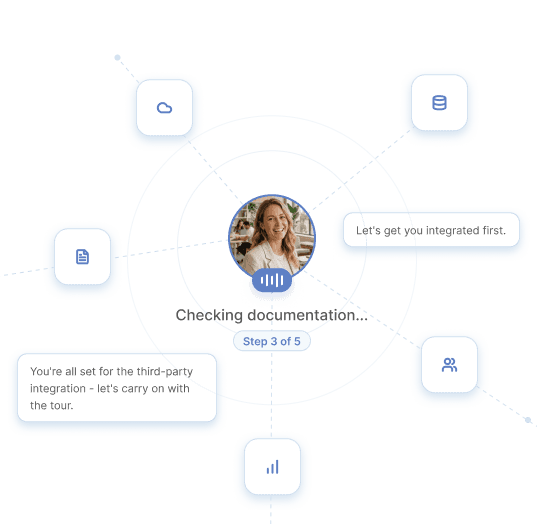
Kulu runs live onboarding calls, guides customers through software in real time, handles complex setup flows, and gives your team a traceable record of every customer interaction.

Session active

Session active

Acme Corp · Setup call

Acme Corp · Setup call

Viewing setup screen

Viewing setup screen

3 / 5

3 / 5

Can you help me configure this integration?

Can you help me configure this integration?

Kulu

Kulu

Yes — I can see the settings page. Click Add connection, then choose your CRM.

Yes — I can see the settings page. Click Add connection, then choose your CRM.

Listening…

Listening…

Session log updated

Session log updated

Professional onboarding conversations, run by AI.

Kulu speaks with customers in real time, guiding them through setup with a clear, professional voice that feels appropriate for customer-facing onboarding.

Natural, high-quality voice

Kulu sounds polished and easy to follow, creating a better experience than robotic support or static walkthroughs.

Kulu sounds polished and easy to follow, creating a better experience than robotic support or static walkthroughs.

Real-time conversation

Customers can ask questions, clarify next steps, and get help while they are actively onboarding.

Customers can ask questions, clarify next steps, and get
help while they are actively onboarding.

Built for customer-facing sessions

Kulu is designed to handle live onboarding calls with the structure, tone, and reliability expected from a customer team.

Kulu is designed to handle live onboarding calls with the
structure, tone, and reliability expected from a customer team.

Voice call

Session goal

Complete integration setup

Should I use the API token or OAuth?

Kulu

Use OAuth for this integration — it's more reliable and your admin already has access set up.

Listening…

Settings → Integrations

Salesforce CRM

In progress

HubSpot

Connect

Slack

Connect

Next: Add CRM connection

Required field completed

Help customers complete setup work live.

Kulu agents don't just explain how the product works, hoping users will remember for later. They assist users through live setup work, operating like a copilot, helping each user take the right action in the moment.

Screen-aware support

Kulu can understand where the customer is in the setup flow and give guidance based on what is happening.

Step-by-step direction

Customers get clear instructions on what to click, configure, connect, or confirm next.

Progress during the session

The goal is not a demo or a recap. Kulu helps the customer finish meaningful setup work during the call.

Built for long-running, complex implementation work.

Customer onboarding often involves multiple steps, decisions, dependencies, and blockers. Kulu can stay with customers through longer setup flows and keep the session moving toward completion.

Structured, multi-step agendas

Kulu agents are able to run run long-form calls which switch between explanation, live implementation work and free-form Q&A.

Adapts to each account's goals

Each agent is designed to perfectly balance each users needs while ensuring goals completion.

Tracks what happened

Kulu keeps context across the call, including completed steps, open blockers, and what still needs follow-up.
Setup flow

4 / 5 complete

Workspace created

Permissions reviewed

CRM connected

Workflow configured

Team invited

Blocker

Admin approval needed

Status: In progress

Session review

Transcript

Available

Summary

Ready

Guidance source

Onboarding playbook

Completed steps

4

Open blockers

1

Next step

Route to technical onboarding

Every interaction is visible, reviewable, and grounded.

Kulu gives your team a clear record of each onboarding session, including what was said, what was completed, what guidance was given, and what needs attention.

Session history

Review transcripts, summaries, completed steps, open questions, and follow-up actions.

Approved guidance

Kulu can stay grounded in approved playbooks, product knowledge, and onboarding processes.

Traceable outcomes

Teams can see how a session unfolded, where blockers appeared, and why an escalation or next step was recommended.

The Kulu difference

The Kulu difference

Support more accounts,
without losing quality

Kulu is built for real onboarding work: professional customer conversations, long-running setup flows, live guidance during the call, and a traceable record your team can trust.

Kulu is built for real onboarding work: professional customer conversations, long-running setup flows, live guidance during the call, and a traceable record your team can trust.

Professional voice experience

Kulu delivers clear, natural, customer-ready voice calls that feel polished enough for live onboarding conversations with high ACV accounts.

Extend white-glove onboarding to every account, including the customers who might not otherwise receive high-touch support.

Handles long, complex workflows

Kulu can stay with customers through multi-step setup, configuration, integrations, permissions, and implementation tasks that take time to complete.

Helps customers get work done live

Kulu guides users while they are in the product, helping them complete setup during the call instead of leaving them with a list of tasks for later.

Let your team focus on high-value relationships, escalations, and strategic customerwork
while Kulu handles structured onboarding support.

Secure and traceable by default

Every session is logged and reviewable, with transcripts, guidance, actions, blockers, and next steps captured for your team.

Let your team focus on high-value relationships, escalations, and strategic customerwork
while Kulu handles structured onboarding support.

See Kulu work through a real onboarding call

Learn how Kulu helps customers complete setup through professional voice conversations, live guidance, complex workflow support, and traceable session records.

See Kulu work through a real onboarding call

Learn how Kulu helps customers complete setup through professional voice conversations, live guidance, complex workflow support, and traceable session records.